New streamlined look
MediaCP Cloud Video has a new look and a more streamlined way to work. The refreshed experience brings the parts of your account together with a unified colour scheme, more intuitive navigation and faster access to the tools you use every day.
Whether you are managing a single live channel or a growing video operation, the update is built to reduce friction: find content quickly, create what you need from anywhere, and see the health of your account at a glance.
Dark Mode & Quick Search
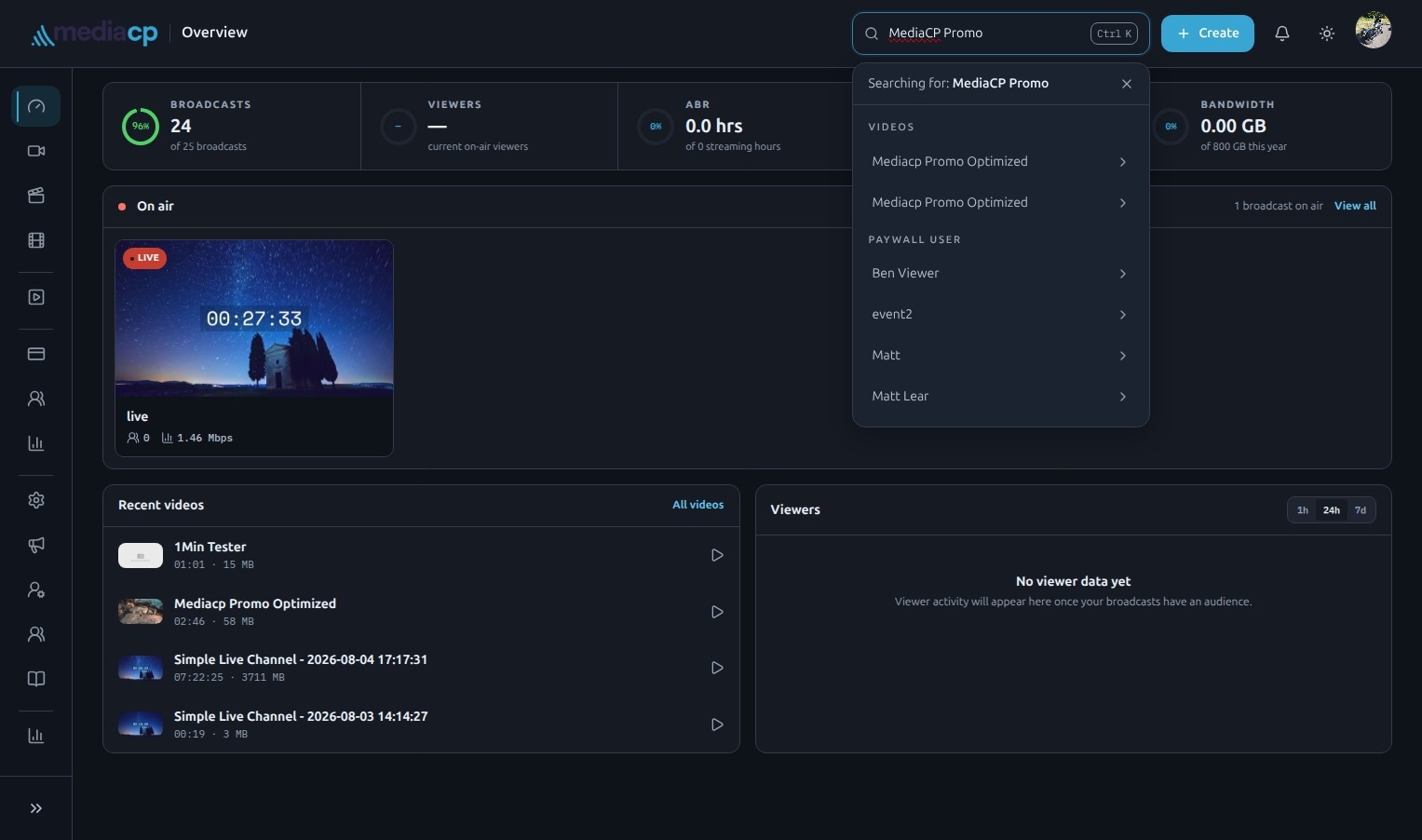
The updated interface uses a unified colour scheme across the platform, giving the whole experience a more cohesive feel. Choose between light and dark mode to suit your environment, keep informed with notifications, and use the collapsible side menu whenever you want more room to focus on the task at hand.
Finding your way around is faster, too. The updated search is always close at hand: press Ctrl + K to open it and jump to what you need without breaking your flow.
Media is now Videos
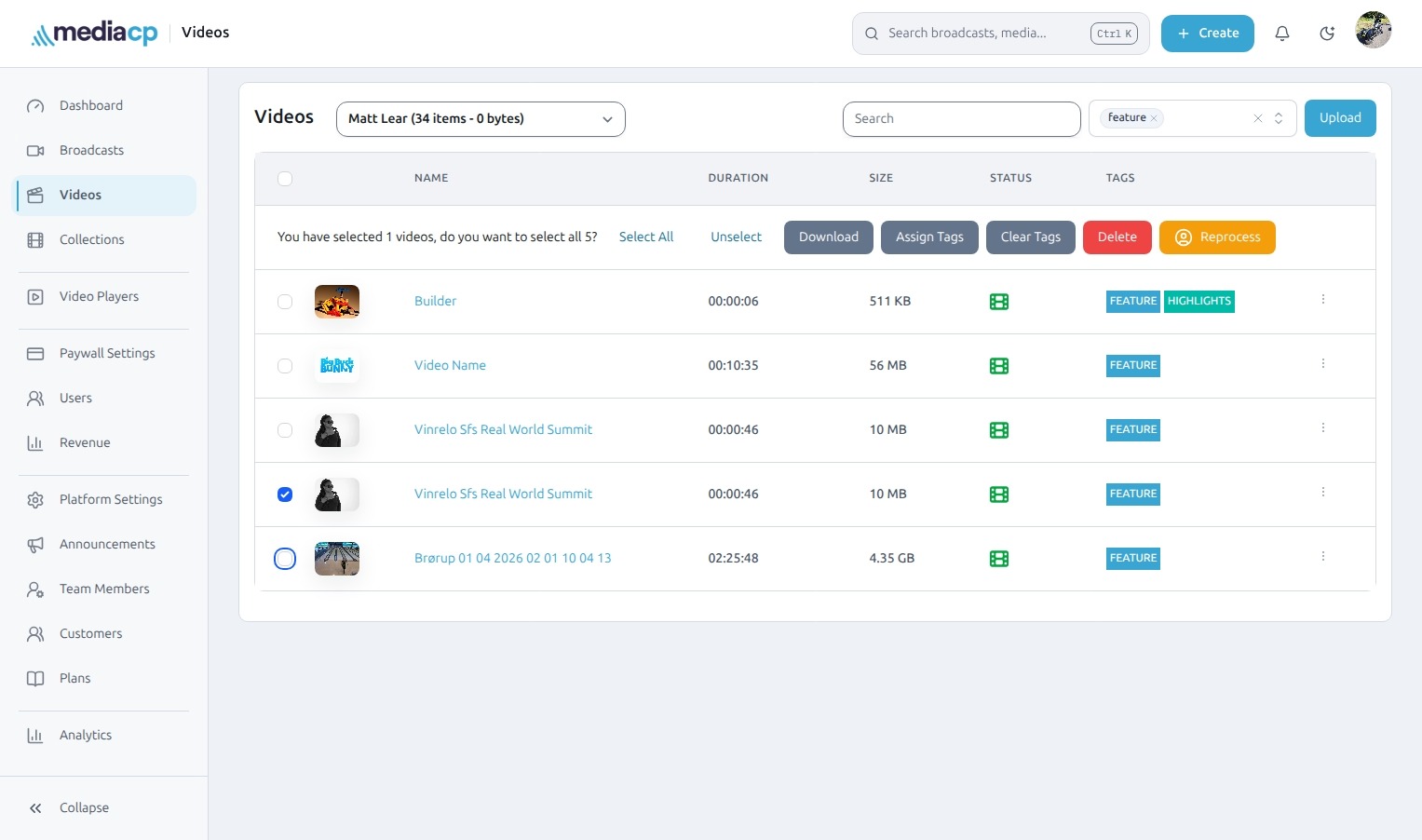
We have made two important terminology updates to make the platform easier to understand from day one:
- Media is now Videos
- VOD Playlists is now Collections
These names better describe what each area is for, helping new and experienced users alike move through their library with more confidence.
Create from anywhere
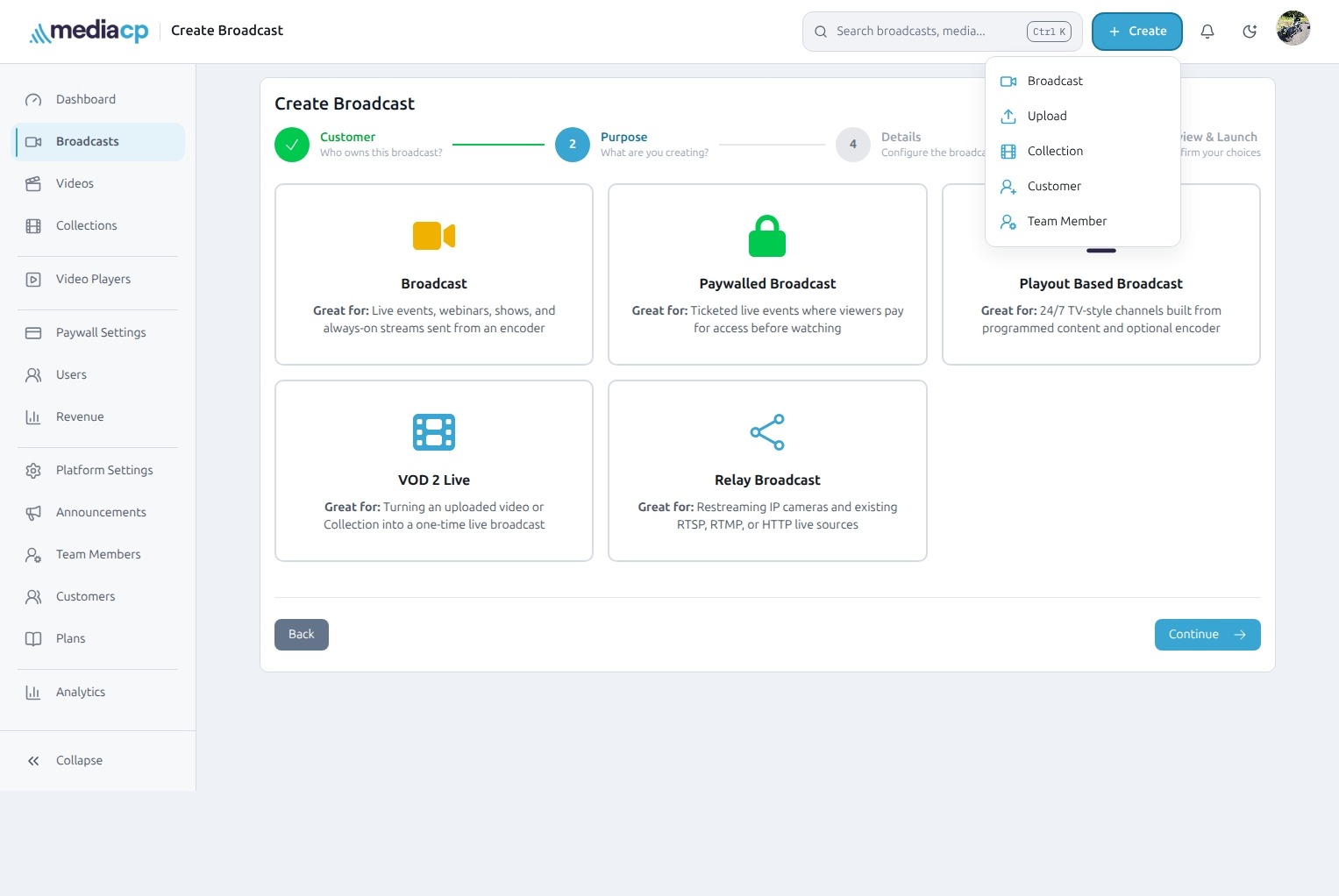
A new global Create button gives you one consistent starting point for common actions. Quickly create Broadcasts, Uploads, Customers and more, wherever you are in the platform.
It is a small change with a big practical benefit: the next action is no longer hidden in a section-specific menu. When inspiration strikes or an urgent request arrives, you can start immediately.
Broadcasts, all in one place
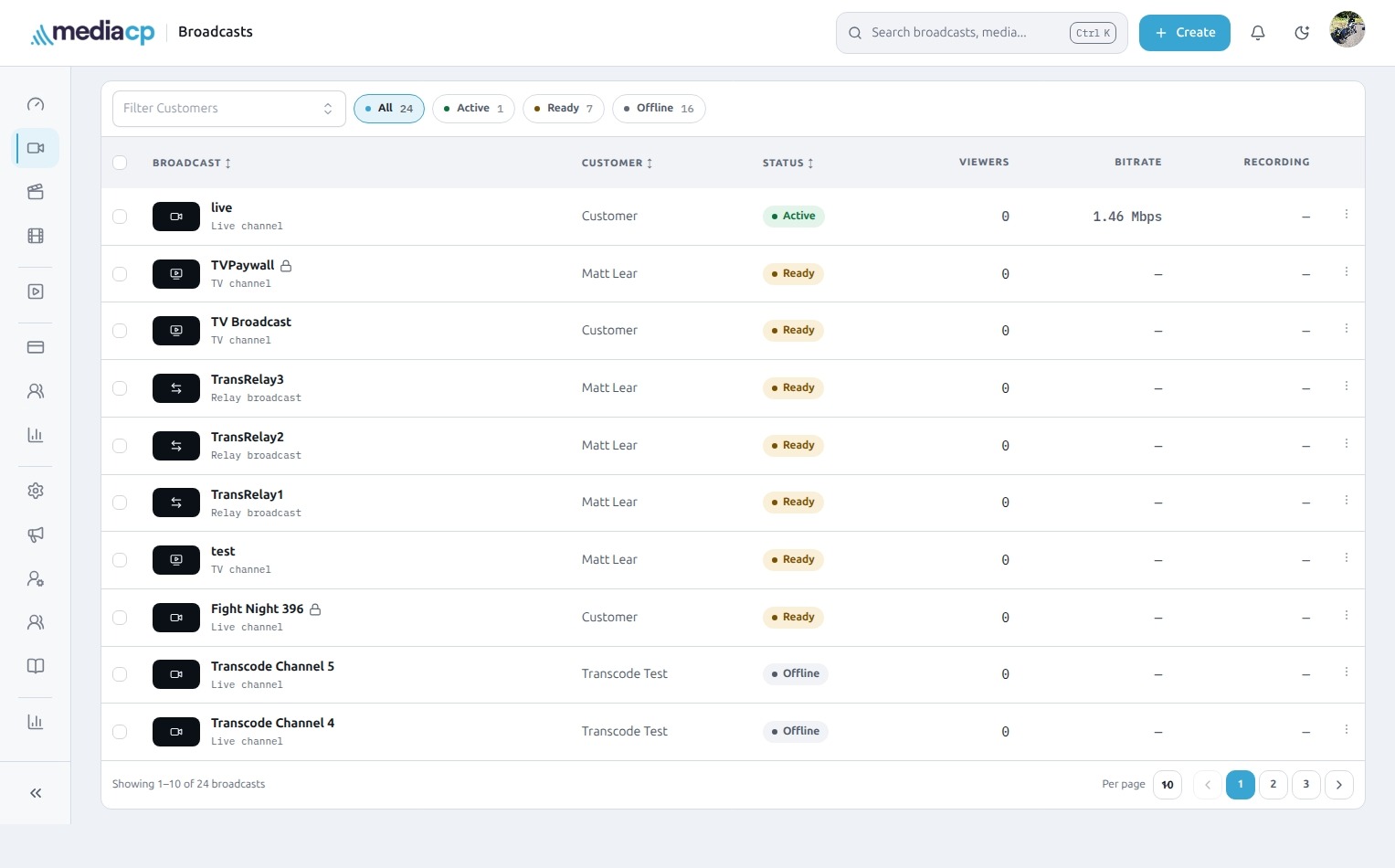
The redesigned Broadcasts experience brings Live, TV and Relay channels together in a single interface. This unified view makes it easier to oversee your complete channel lineup without switching between different areas of the product.
Use customer and status filters to narrow the list, select multiple broadcasts when you need to work in bulk, and choose the per-page view that suits the size of your operation. Everything is structured to make day-to-day channel management clearer and quicker.
Guided channel creation
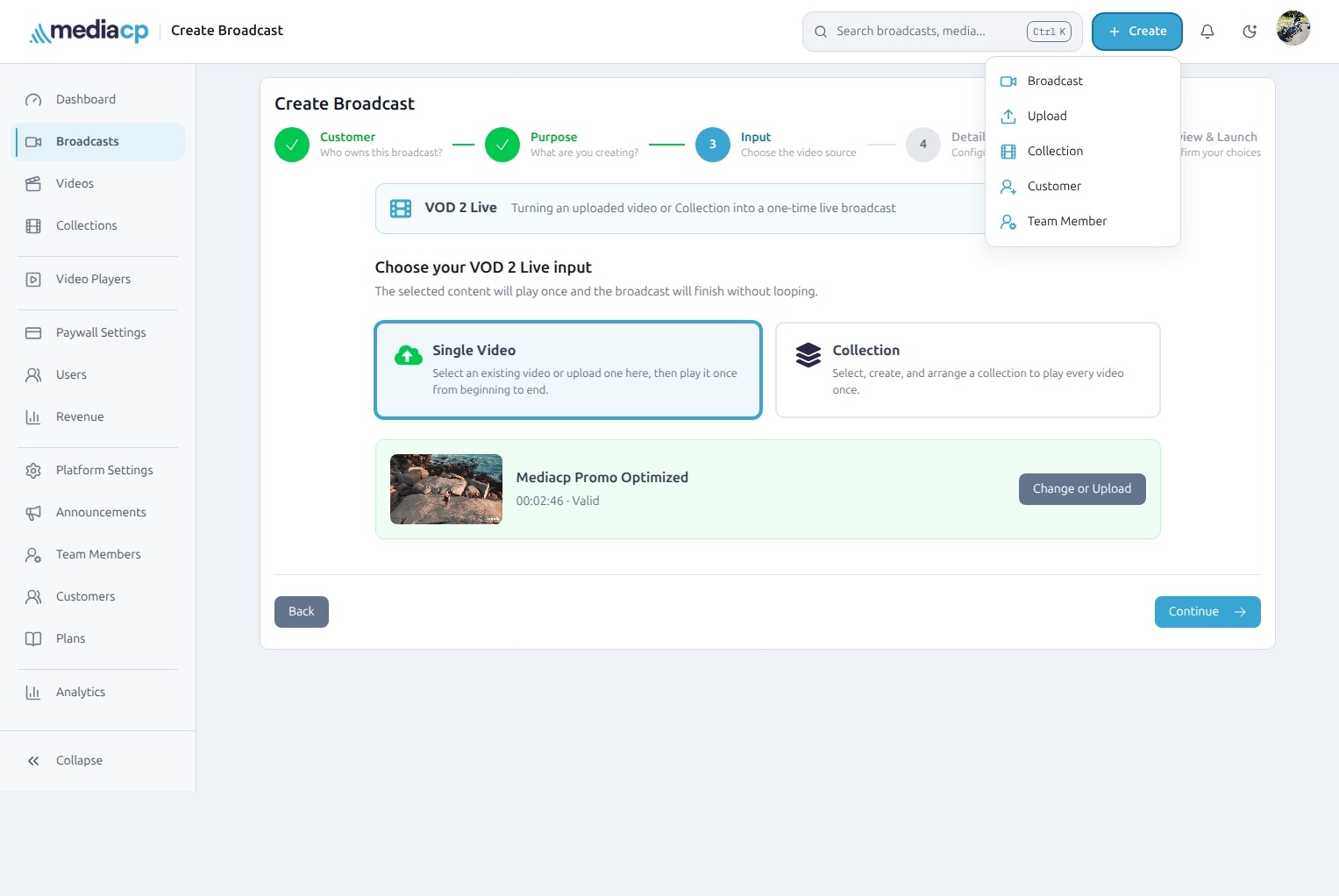
Creating a broadcast is now a more approachable, step-by-step process. The new Broadcast wizard explains each part of channel creation as you go, so you can set things up with confidence.
For scheduled VOD-to-Live channels, the wizard guides you through choosing a new video, an existing video or a Collection of videos. It is a more natural route from content selection to a scheduled channel.
Improved TV Scheduling
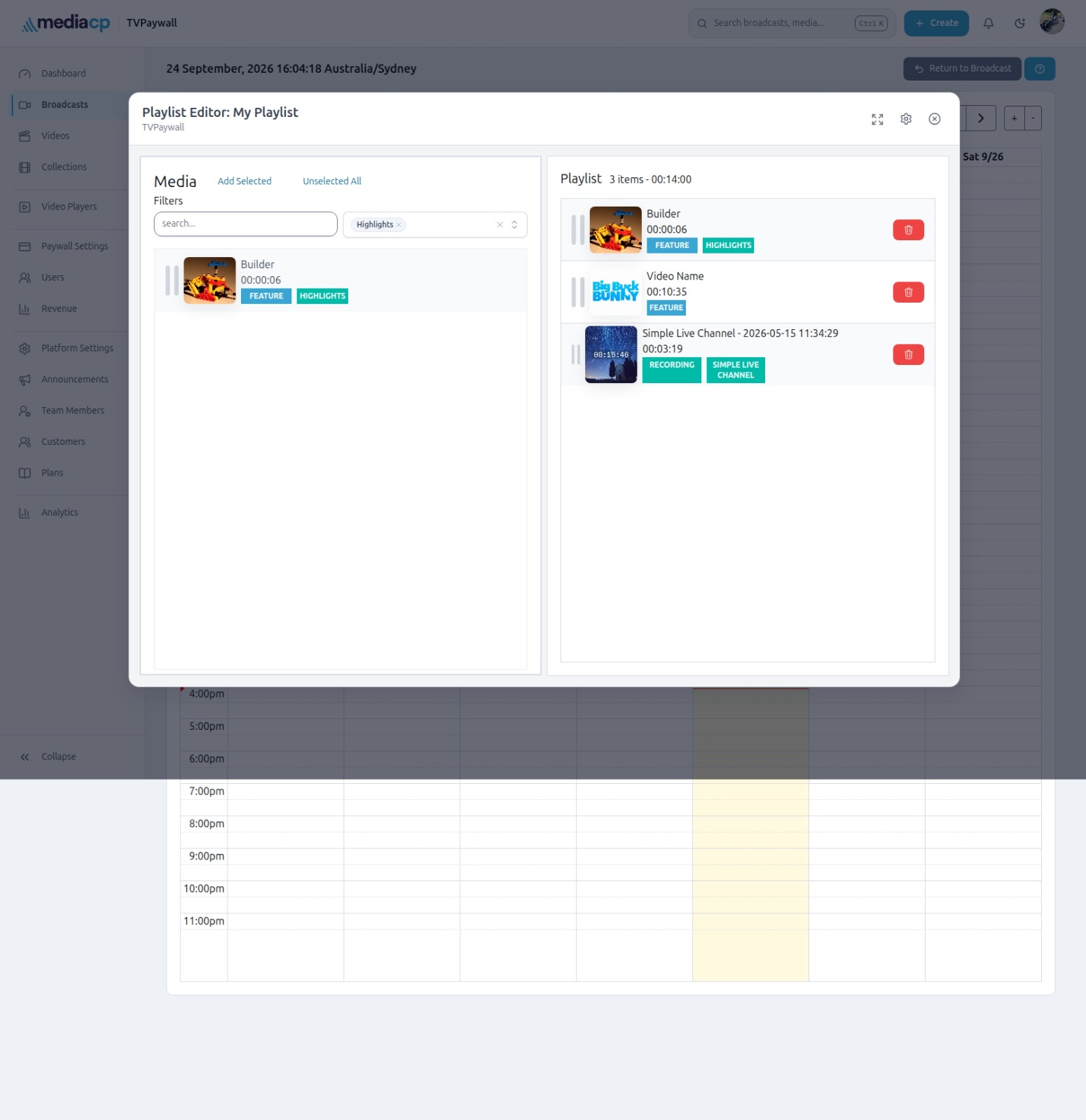
TV Scheduling is now more closely connected to the way you plan your channel. The playlist editor is displayed directly on the calendar page, so you can work with your schedule and playlist in the same place.
When you need more room, expand the editor modal to full screen. You can also move easily between the event options and configuration, keeping the important controls within reach as you build and refine your schedule.
Your account at a glance
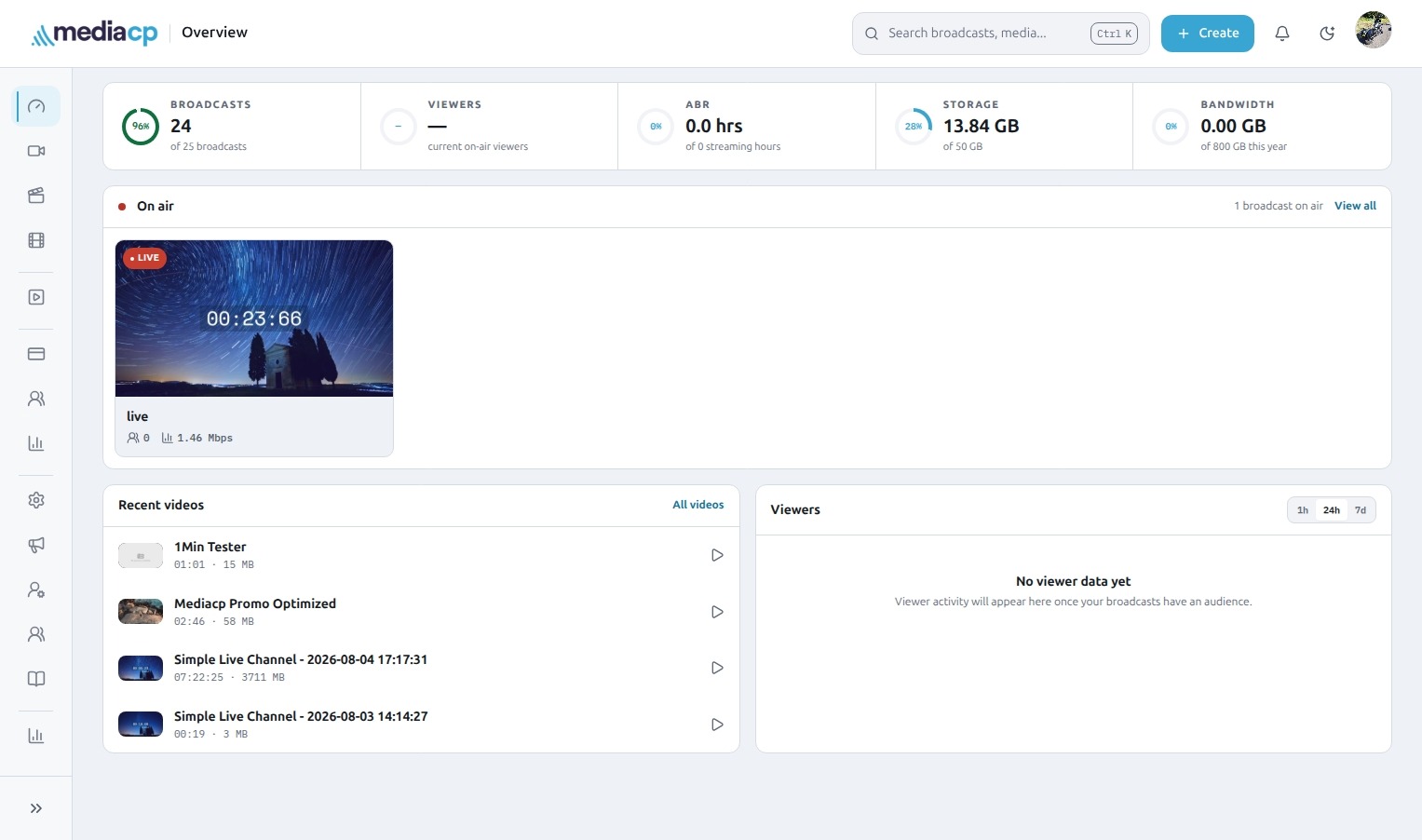
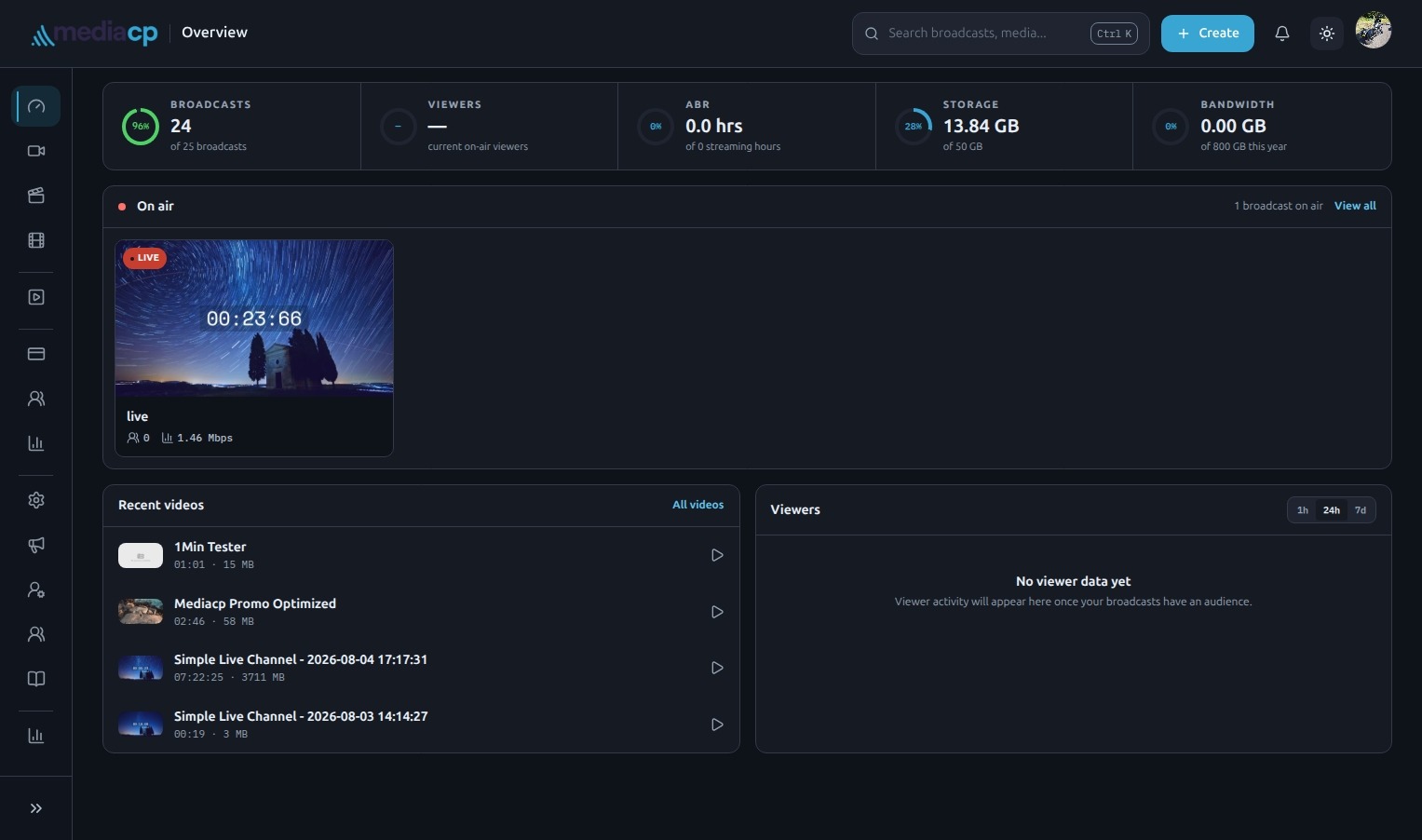
The refreshed Dashboard is your new heads-up display for the whole account. It puts the most useful signals in front of you, including:
- every on-air channel, with a preview
- recently uploaded videos
- total viewers across all channels over the last hour, 24 hours or 7 days
With this wider view, you can spot what is live, review the latest content and understand audience activity without having to assemble the picture yourself.
Explore the refreshed experience
The MediaCP Cloud Video UX upgrade is designed around the work your team does every day: managing content, launching channels and keeping an eye on the audience. Explore MediaCP Cloud Video to see what a more focused video operation feels like.
