
Home » Understanding Video Playlists
Last updated 2 months ago
Scheduling is only available on TV Stations you can find more information about this on our TV Station Services page.
✅ MediaCP Video ✅ Wowza Streaming Engine ✅ Flussonic
All uploaded video files and any live broadcast should follow the same video and audio formats. Changes between files may result in the interruption of the broadcast.
MediaCP Video and Flussonic TV stations may experience a delay in scheduling, this is occurring because the system is preloading the next file. The delay does not occur for Wowza TV station services.
It is required to reload schedule for Wowza Streaming Engine TV stations, as it will apply the configuration to the application. This is not required for Flussonic or MediaCP Video as they operate more dynamically.
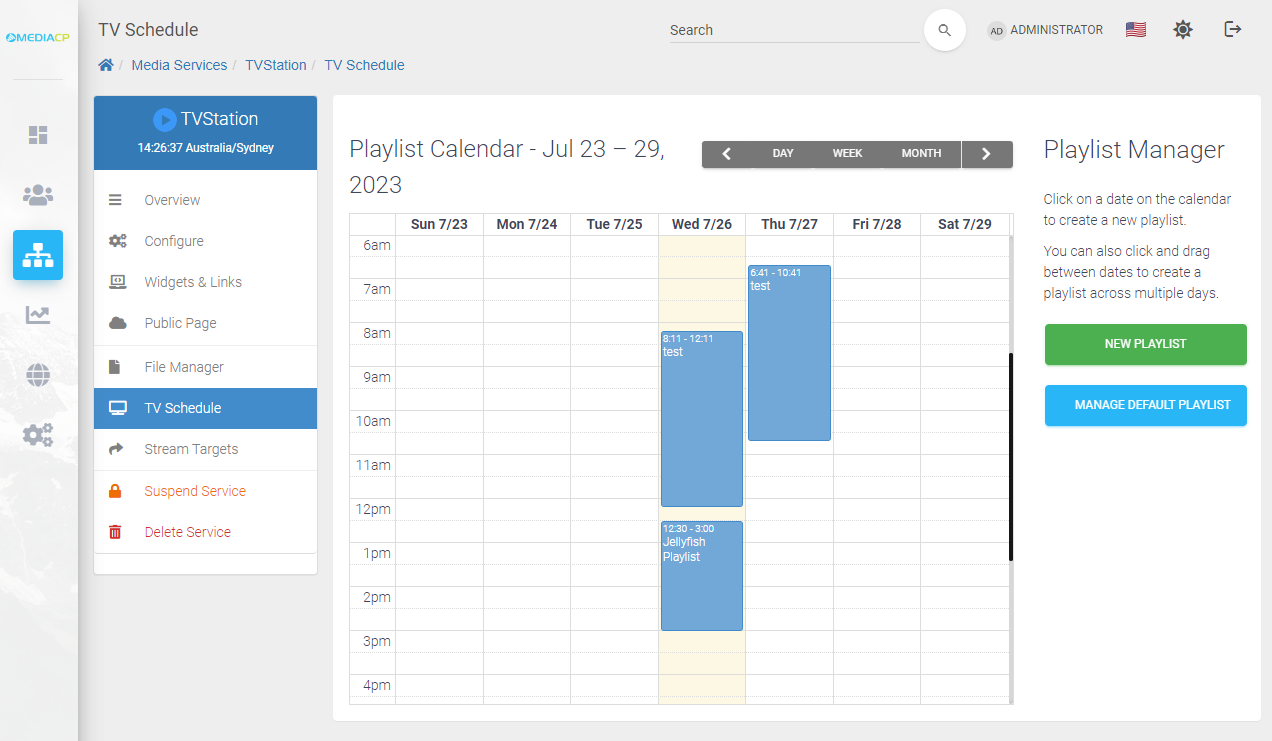
The TV Schedule section will allow you to monitor, create and manage your default and scheduled playlists
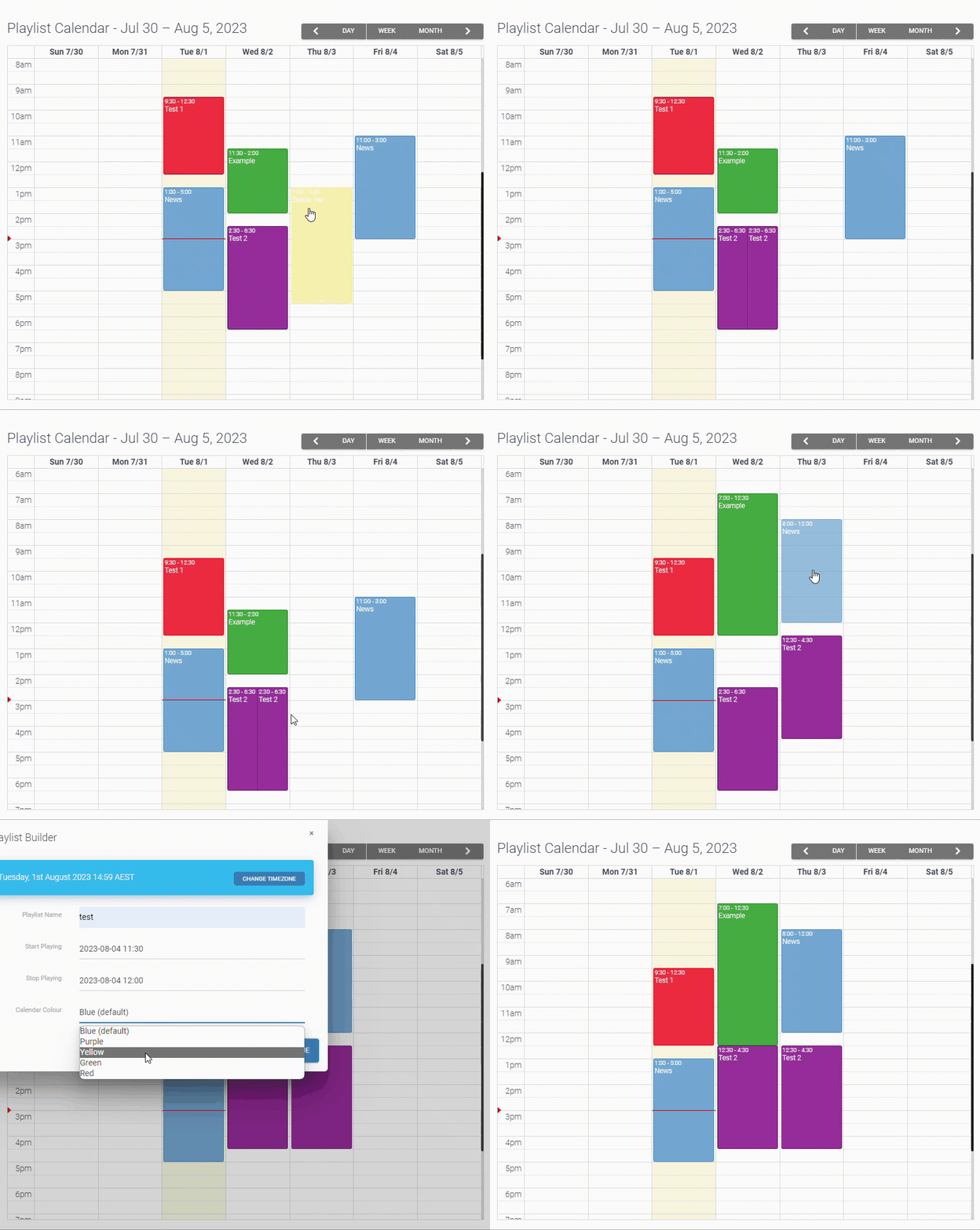
Using the calendar you can create new playlists, dynamically move playlists, duplicate, and delete playlists. As well as accessing the playlist builder
Right click for more options and to duplicate playlists
To ensure consistent flow without disconnect where there is no default playlist, scheduling of two events must connect with the new event starting on the end time of the prior event.
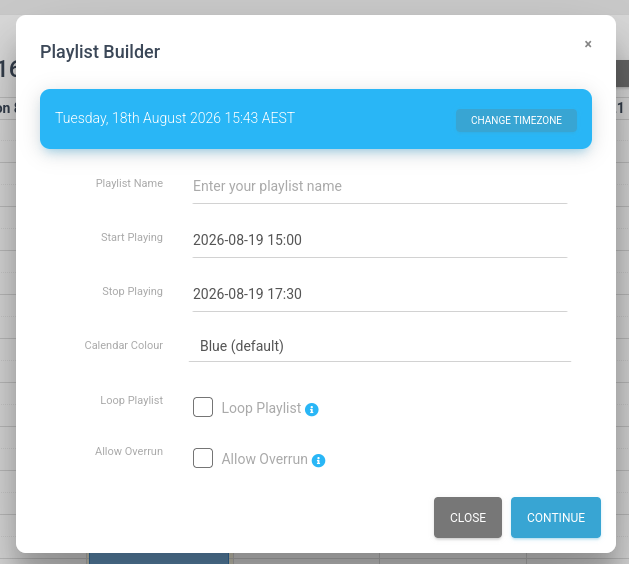
When creating a playlist or editing it you can configure options to set the colour, loop and allow overrun.
Loop Playlist will loop the playlist until the scheduled stop time.
Allow Overrun determines if the last track should finish playing even if it exceeds the scheduled stop time.
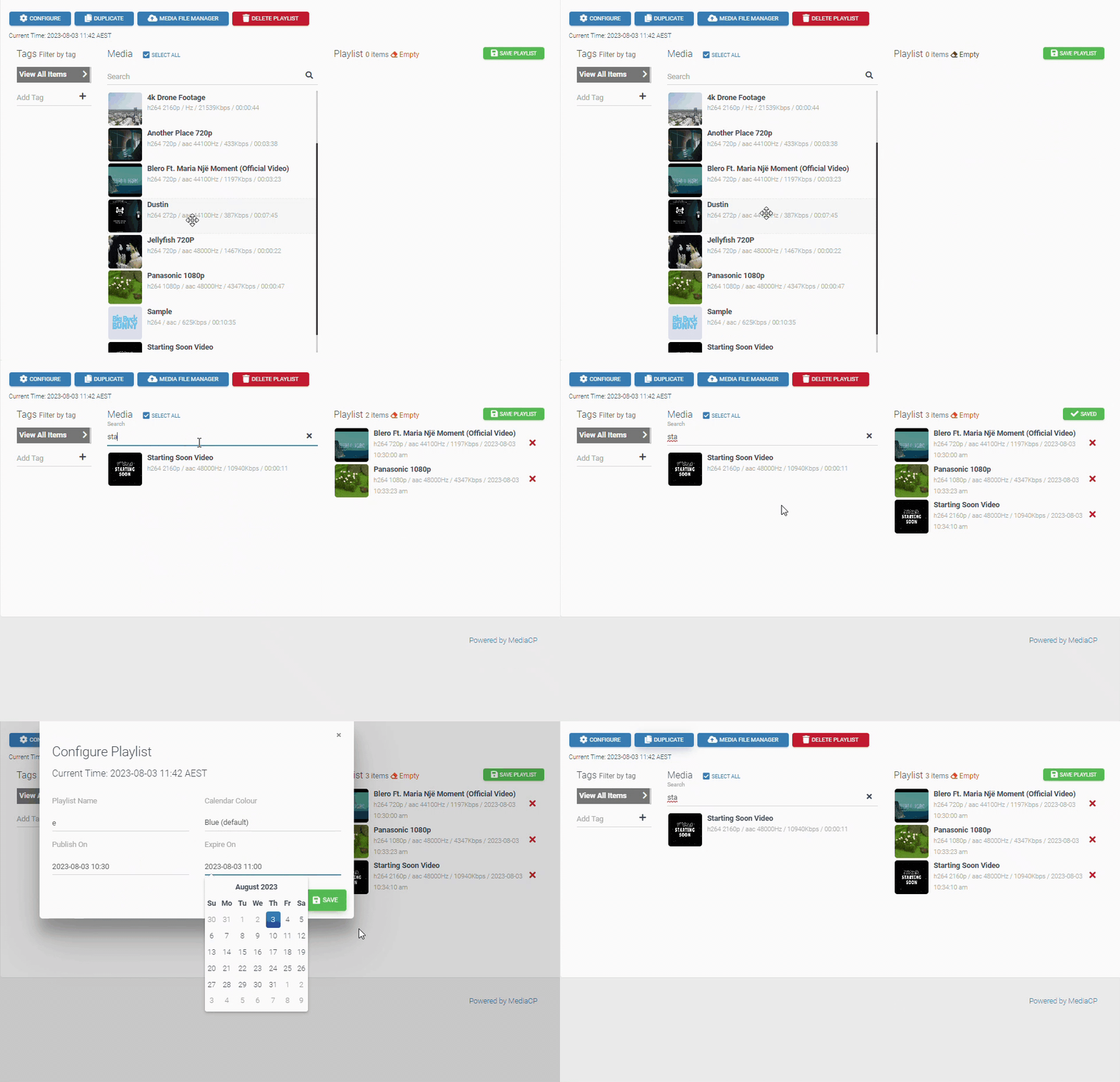
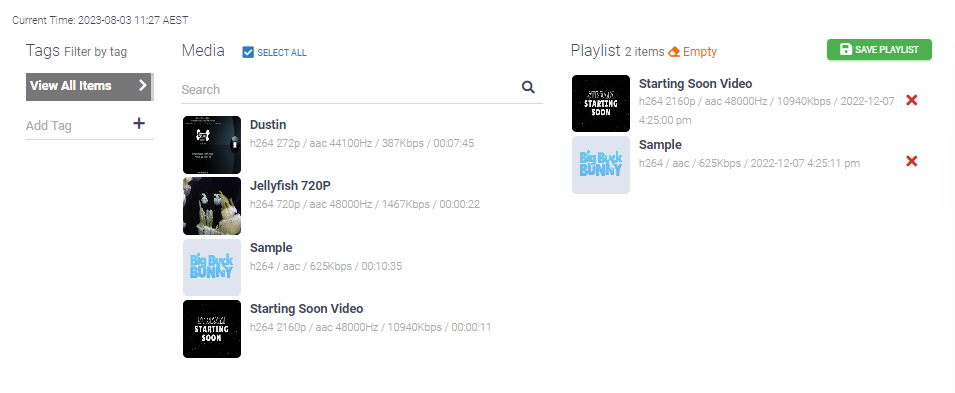
On the left you will see your uploaded media, which you can use search and tags to find media
You can add media to your playlist by dragging uploaded files to the playlist section on the right
The playlist will play in sequential order based on the placement of the media
You can duplicate and configure the playlist from the builder
Default playlist will broadcast when there are no scheduled playlists or live broadcasts connected
You can manage this playlist with a simplified playlist builder
If the default playlist is empty then the service will only go live with a scheduled playlist or live encoder connection.