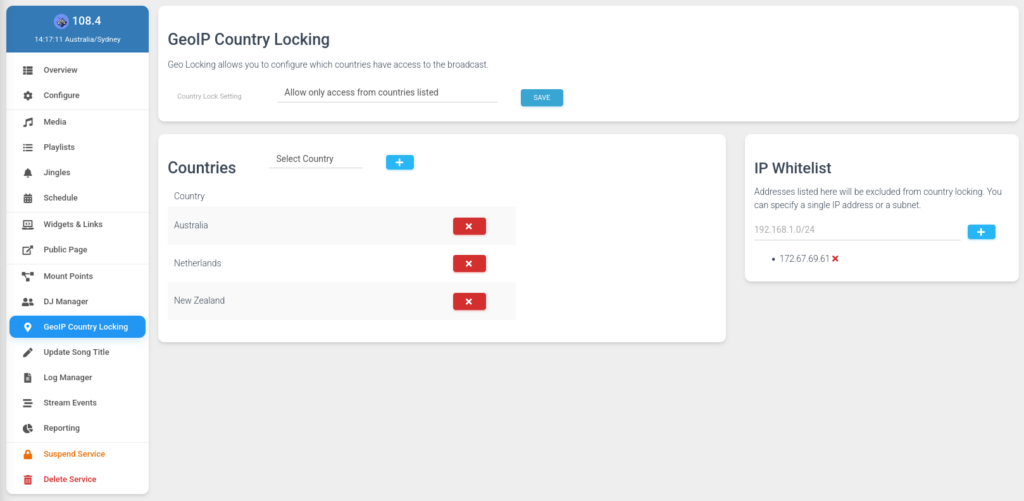
GeoIP Country Locking allows you to configure which countries have access to listen to your stream. This must first be enabled by the panel administrator in Configure → Features.
A note for Shoutcast 2 services
Shoutcast 2 services require listeners to connect using the provided HTML5 Player, the Stream Proxy Links, or Player Links provided on the Widgets & Links page.
Once enabled you will see a new GeoIP Country Locking tab that allows for the management of the feature. There are two basic configuration modes to choose from:
- Default Deny – Allow connections ONLY from only selected countries
- Default Allow – Allow all connections except from the selected countries
In addition, it is possible to whitelist a single IP address or entire subnet to be excluded from the Country Locking feature. Changes to the GeoIP Country Locking require a service restart to apply.