
A comprehensive RESTful API is available and accessible by Administrators and Customers. It is documented by POSTMAN at the link below.
API Keys
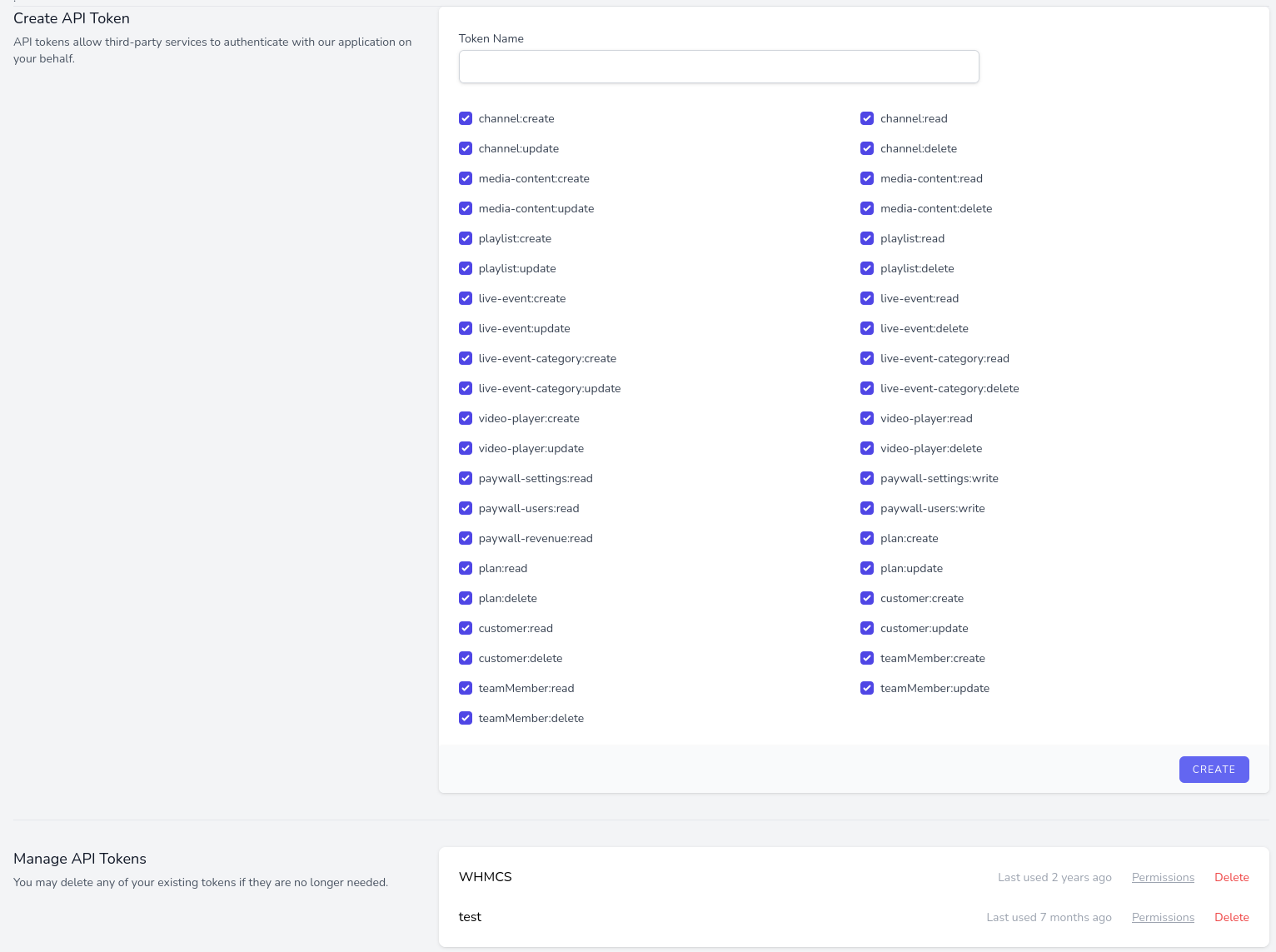
Users can generate and manages API keys as well as assign API functions in their profile settings.
- Login to MediaCP Cloud Video
- Click on your Profile name in the top right corner and select My Profile
- Scroll down the page until you see Create API Token
- Enter any name such as API then press Create
- Copy the provided token somewhere safe as it is only shown once
Authentication
All requests to the API must be authenticated with a header including Authorization: Bearer {YOUR_AUTH_KEY}
Examples
List Channels
curl --request GET \
    --get "https://example.mycloudstream.io/api/channels" \
    --header "Authorization: Bearer {YOUR_AUTH_KEY}" \
    --header "Content-Type: application/json" \
    --header "Accept: application/json"
Create Channel
curl --request PUT \
 "https://example.mycloudstream.io/api/channels/harum" \
    --header "Authorization: Bearer {YOUR_AUTH_KEY}" \
    --header "Content-Type: application/json" \
    --header "Accept: application/json" \
    --data "{
    \"name\": \"cfxlgry\",
    \"online\": false,
    \"bitrate\": 13,
    \"allow_rewind\": true,
    \"allow_publishing\": false,
    \"allow_recording\": false,
    \"allow_viewers_url\": \"http:\\/\\/www.kiehn.org\\/consequuntur-reiciendis-est-sint\",
    \"reduced_latency\": true,
    \"ga_tracking_id\": \"tenetur\",
    \"viewer_limit\": 73
}"
Generate a Download URL Media Content
curl --request GET \
    --get "https://example.mycloudstream.io/api/media-contents/9cb2b77b-6949-434e-a9c4-fc49bba98600/download" \
    --header "Authorization: Bearer {YOUR_AUTH_KEY}" \
    --header "Content-Type: application/json" \
    --header "Accept: application/json"